Skip to content

Navisworks® plugin · Autodesk® App Store

Stop rebuilding selection sets. search sets. clash groups. viewpoints. reports.

Productivity Toolbox automates the mechanical work Navisworks leaves to the user: property-driven selection and search sets, clash grouping, viewpoint color-coding, and reports. Installed from the Autodesk App Store.

5.0 · from verified reviews on the Autodesk App Store

8
Automated modules
12
Video tutorials
5
Years of updates
Group Elements · Federated model, live
Productivity Toolbox ribbon active in Navisworks with the Group Elements panel showing workset categories and a color-coded federated model
Compatible with Navisworks Manage Navisworks Simulate 2021 2022 2023 2024 2025 2026 2027

Features · Eight modules

Built for the workflows Navisworks leaves to the user.

Eight capabilities that replace hours of manual selection, viewpoint, and reporting work with repeatable automation driven by your model properties.

01 · Group Elements

Rebuild selection sets automatically when the model updates

Automatically generate complex selection and search sets based on property hierarchy.

  • Walk any property path across model instances
  • Nest sets to match discipline or system breakdowns
  • Preserves original grouping for downstream clash workflows
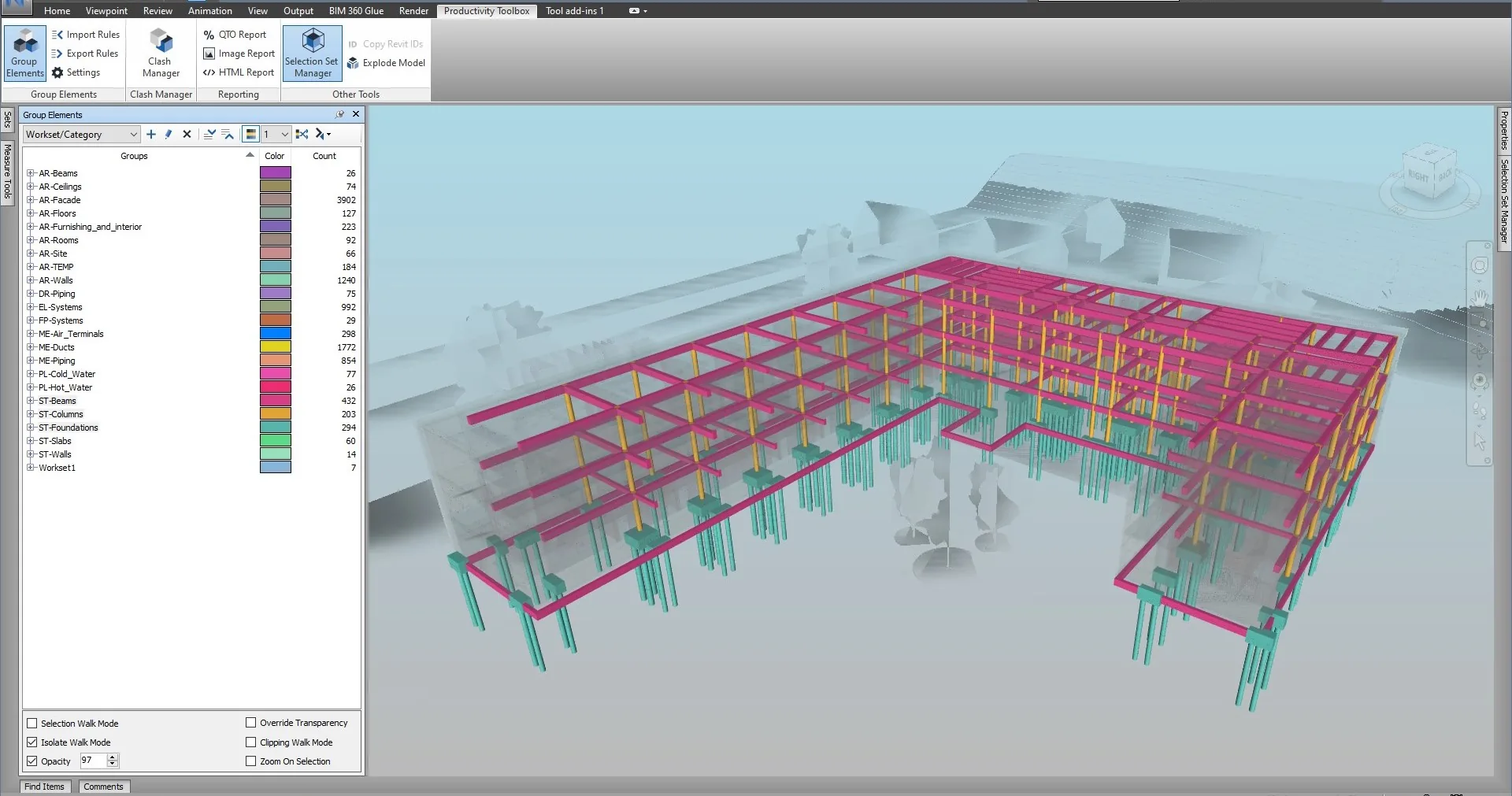
Group Elements · live
Productivity Toolbox Group Elements panel showing worksets and categories with color-coded structural model
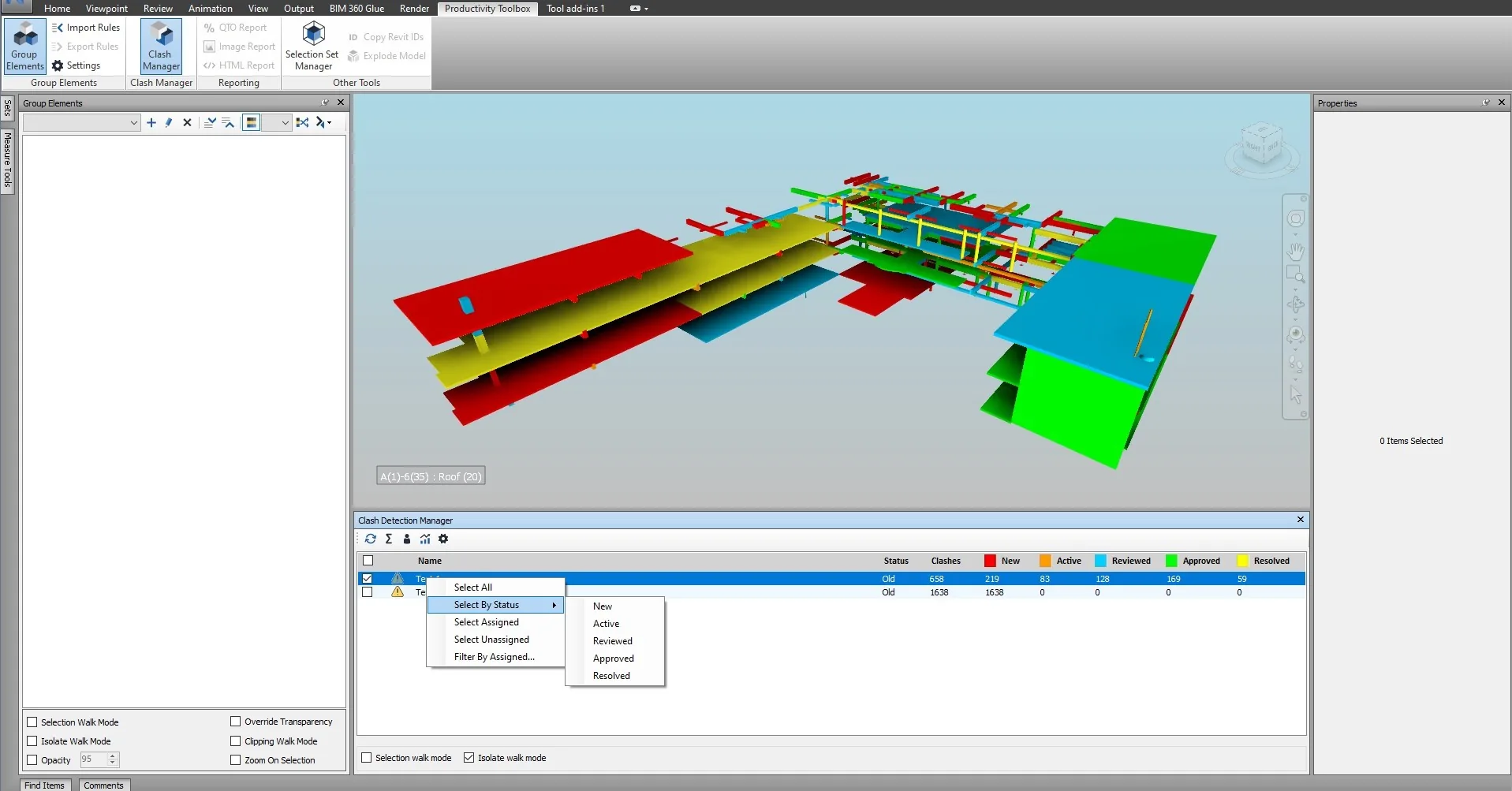
02 · Clash Manager

Collapse thousands of clash hits into reviewable assemblies

Automatically find and group clashes based on intersection with other elements.

  • Collapse hundreds of duplicate hits into meaningful assemblies
  • Group by element, system, zone, or custom property
  • Reduces review time on dense federated models
Clash Manager · live
Clash Detection Manager with Select By Status context menu showing clash counts by state
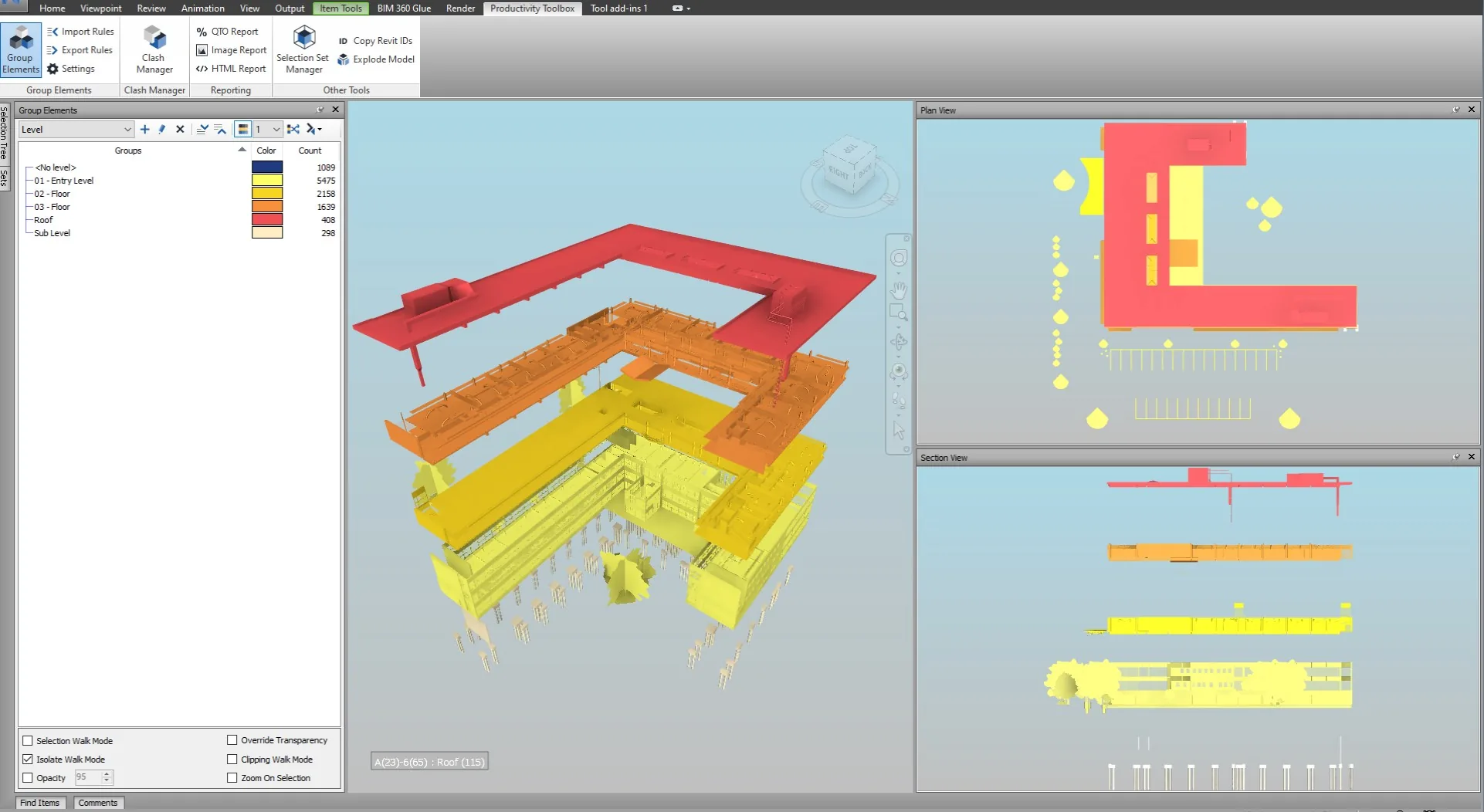
03 · Viewpoints

Isolate and color-code viewpoints from any property

Isolate, color-code, and export viewpoints directly from selection sets.

  • Apply deterministic coloring by property value
  • Batch-generate viewpoints across hundreds of elements
  • Export images for coordination meetings and reports
Viewpoints · live
Tri-pane viewport with 3D, plan, and section views color-coded by building level
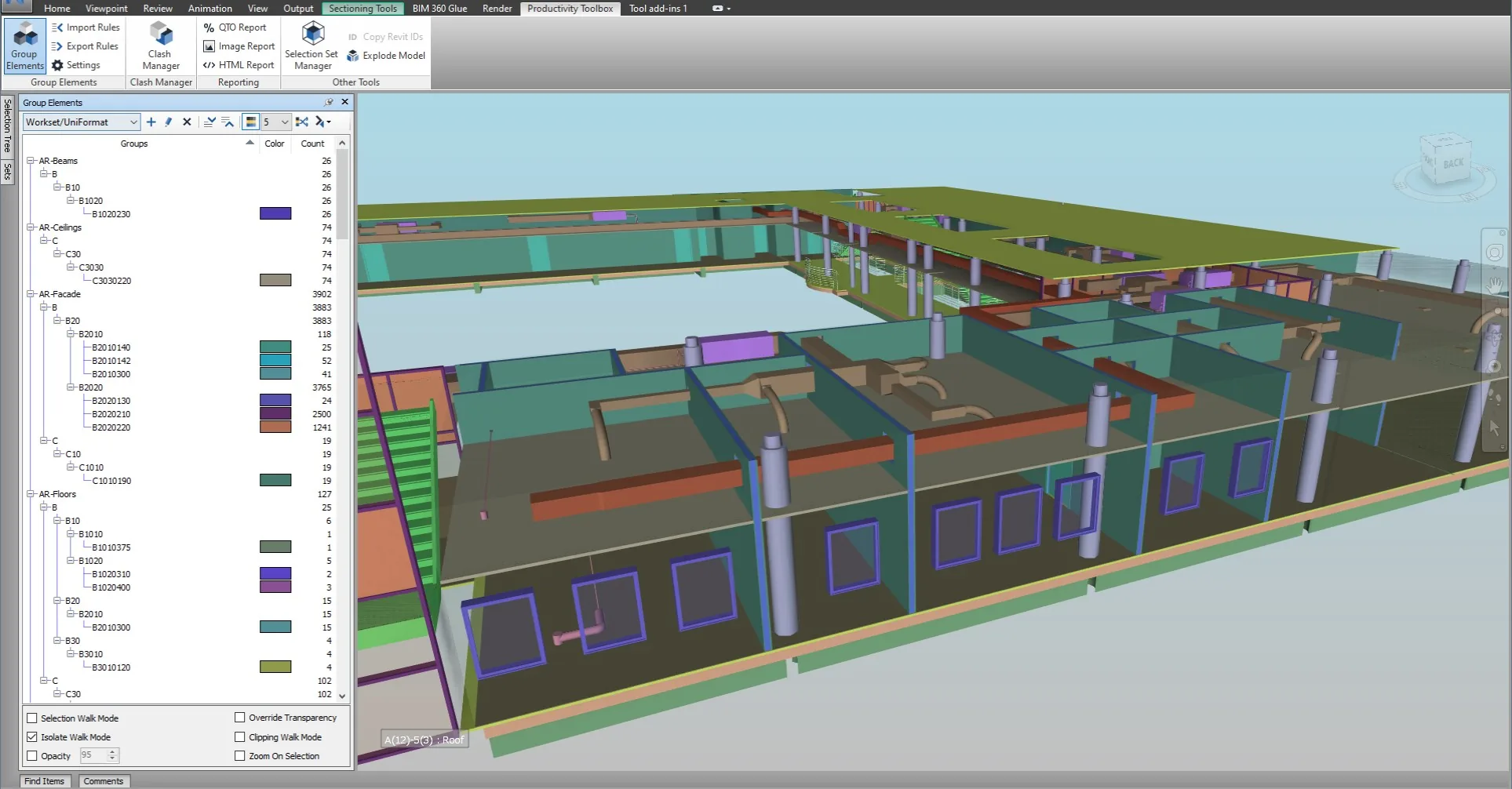
04 · Split Model

Split the federated model by property for targeted review

Split the federated model into property-driven groupings for targeted review.

  • Separate by level, system, contractor, or phase
  • Useful for staged handovers and construction sequencing
  • Reversible. The original federation is untouched.
Split Model · live
Group Elements panel showing UniFormat code hierarchy with sectioned interior view of the model
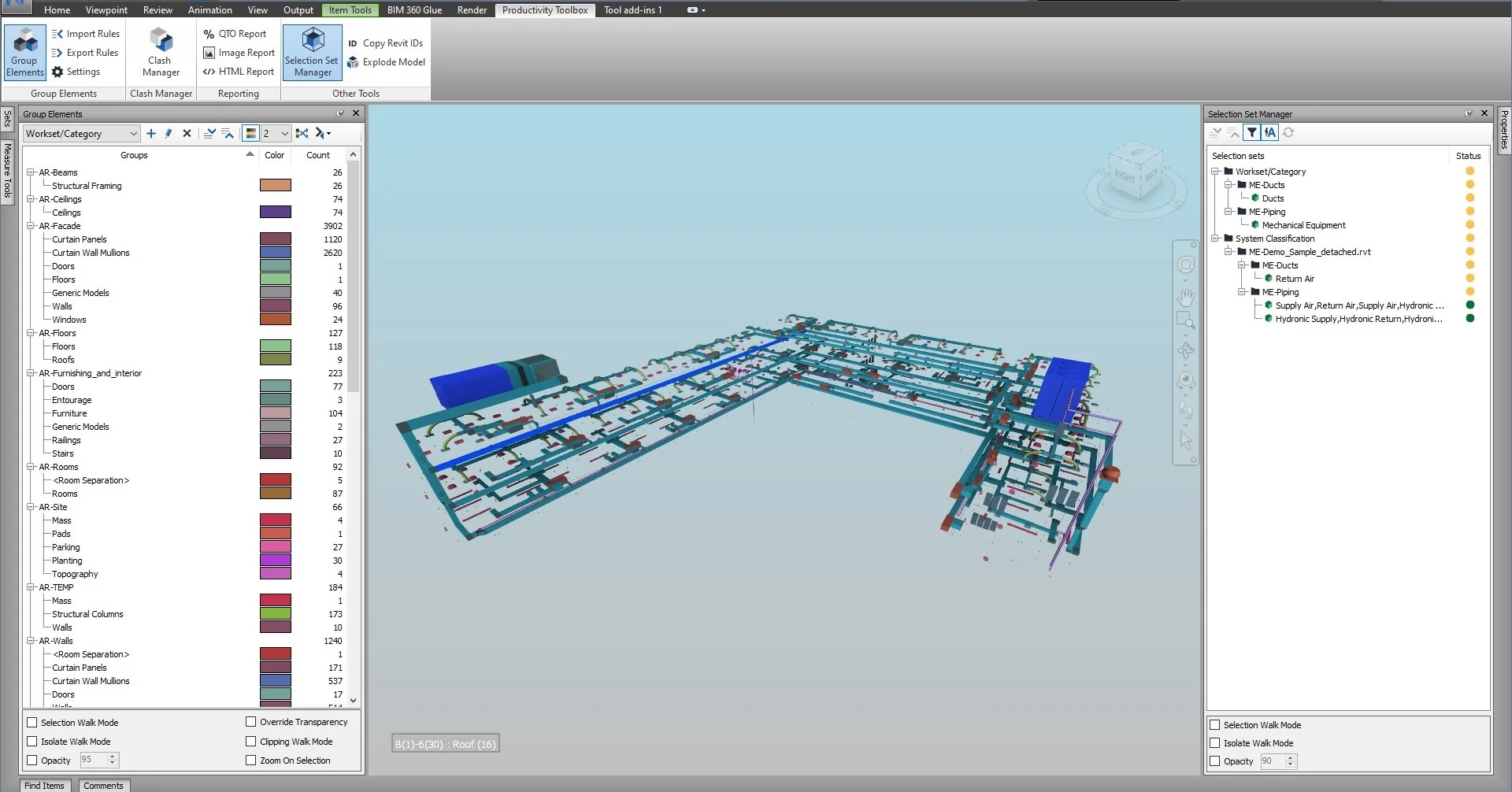
05 · Set Finder

Find every selection set that contains an element

Quickly locate every selection set that contains a given element.

  • Troubleshoot misgrouped elements in seconds
  • Audit coverage across discipline-specific sets
  • Works with nested and search-based sets
Set Finder · live
Selection Set Manager panel with hierarchical MEP system classification and highlighted ductwork in the viewport
06 · Reporting

Export reports that match your project template

Image, HTML, and Excel reports from clashes, viewpoints, and selections. Templated for owner and trade reviews.

07 · Take-offs

Pull quantities by any property, Excel-ready

Custom quantity take-offs driven by model properties and selection logic. Configurable units and rounding.

08 · Deck Builder

Generate viewpoint decks for weekly coordination

Auto-generate viewpoints with deterministic color-coding and a legend derived from the driving property.

Verified reviews

5.0

From verified reviews on the Autodesk App Store, averaged across five years of releases.

Read all reviews on the Autodesk App Store
  • "This is the ultimate toolsets pack for Navisworks making any BIM analyses possible in just a few clicks."
    Mileta Pejovic Autodesk App Store
  • "Expedited use, intuitive design, and time-saving are some of the exceptional features of this tool."
    Emina Tomic Autodesk App Store
  • "Such an efficient, fast, and productive tool. I cannot imagine using Navisworks without this plugin."
    Milica Trifunovic Autodesk App Store
  • "Great set of tools for some of the worst Navisworks chores. It takes element set creation to a new level."
    Itai Cohen Autodesk App Store

Pricing

$59 per month pays for itself by Friday.

Configure your hourly rate and weekly time saved. Most users recover the subscription cost within the first week of the month.

ROI Calculator

$40 $200
1 20

Weekly value recovered

$510

Net after $59 subscription

+$2,149

Monthly Flexible

$59 / month

Start monthly
Save $159 Annual

$549 / year

$45.75 / month · two months off

Start annual

30-day free trial · licensed through the Autodesk App Store · no separate key entry

Common questions

Everything you'd ask before a trial.

Still have questions? Email [email protected].

How do I install the plugin?

Download and install directly from the Autodesk App Store. The installer adds a new ribbon tab to Navisworks Manage or Simulate the next time you launch the application. Administrator rights are required for installation.

Is there a free version?

A 30-day free trial covers all features with no restrictions. After the trial, a Monthly or Annual subscription is required to continue using the plugin.

How is it licensed?

Licensing is handled entirely through the Autodesk App Store and tied to your Autodesk account. No separate license server or key entry is required.

Can I use it on multiple machines?

Yes. A single subscription is tied to your Autodesk account and can be signed in on multiple machines, subject to the Autodesk App Store terms of use.

What happens after the 30-day trial?

The plugin remains installed but the features stop working until a subscription is started. Your settings, selection sets, and configurations are preserved.

Is support included?

Yes. Email support is included with every subscription. Response times are typically within one business day.

Where can I request features or report bugs?

Email [email protected] with details, and where relevant a screenshot or a short description of the Navisworks version and file scenario. Feature requests are reviewed and prioritized on a rolling basis.

Get started

Install from the Autodesk App Store. Ship by tomorrow.

No license server, no key entry. Sign in with your Autodesk account and the plugin appears on your Navisworks ribbon the next time you launch it.