Group Elements
Selection and search sets from property rules, rerun on every model update
Nested selection and search sets generated from property rules, coloured in the model, exported as XML and rerun on the next model.
Manage and Simulate
Selection Set Manager
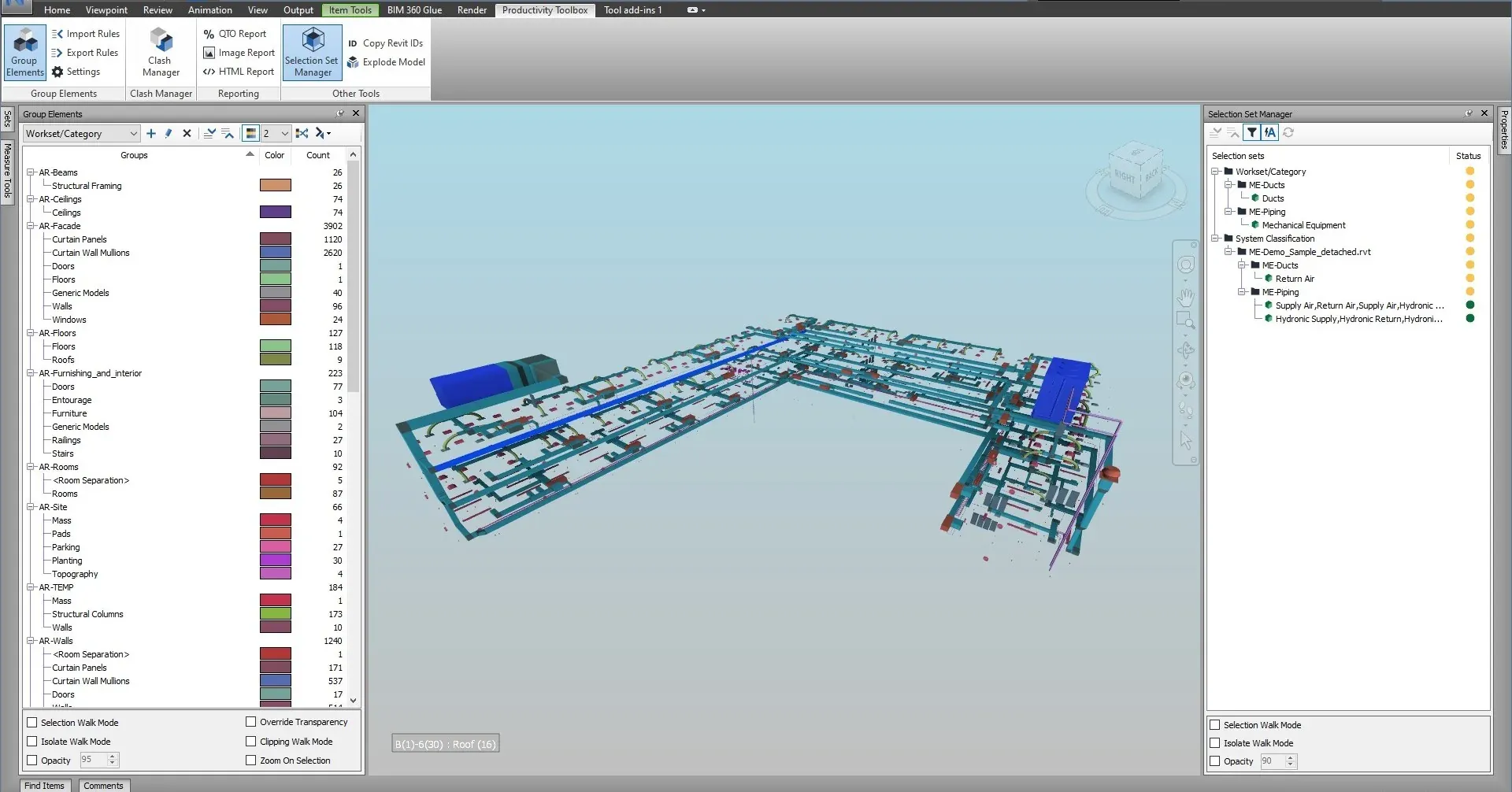
Select anything in the model and the Selection Set Manager highlights each selection set and search set that contains it, nested folders included. It answers the question Navisworks does not: which sets is this element in, and which sets is it missing from.
What it does
Select elements in the model and see every selection or search set that contains them, nested folders included.
Clash tests, TimeLiner tasks and quantity take-offs are only as good as the sets behind them. Turn on Auto refresh and click through a system in the model: the Status column marks every set that picks up the selected elements, orange when the selection covers part of the set and green when it covers all of it. An element that no set picks up is left out of every set-based clash test and TimeLiner task.
Watch it run

Work with selection and search sets, including the new search-set icons in the Selection Set Manager. All tutorials
At a glance
Pressing F1 on any of these ribbon buttons opens the help page for that command on this site, which forwards to the section of the user guide that documents it.
Nested selection and search sets generated from property rules, coloured in the model, exported as XML and rerun on the next model.
Manage and Simulate
Save the clash matrix from selection set folders, fill in the tolerances and load it back as clash tests, with nested folders, a load preview, the Matrix report and a clash history workbook.
Navisworks Manage only
Pick a selection set folder and get the matching TimeLiner task tree, ordered by a construction-sequence blueprint, with planned dates laid out from a start date.
Manage and Simulate
30 days, unrestricted. Download it from the Autodesk App Store and run the installer; no administrator rights needed.